Sunday, August 31, 2014

Hi everyone,

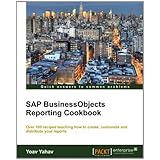
After almost half a year of preparations and writing ,my new book :SAP BusinessObjects Reporting Cookbook is published ,it is dealing with the main BI tool of the SAP BI4 platform- Web Intelligence ,covering it from A-Z and based on my working experience and how to use and implement best practices,hope you enjoy reading it,

Yoav Yahav


Tuesday, June 10, 2014

What’s New in SAP HANA SPS 08

Read here about all the new latest changes in the last version of  HANA:

Power BI Connectivity to SAP BusinessObjects BI Now Generally Available


Microsoft and SAP announced the general availability of Power BI connectivity to SAP BusinessObjects BI. This joint business intelligence interoperability solution is delivered in Microsoft Excel, Power BI for Office 365, and SAP BusinessObjects BI. With this solution, users can....click here for further reading...


Tuesday, March 18, 2014

SAP BusinessObjects Reporting Cookbook coming up

Hi All,

Been very busy in the last months writing the SAP BusinessObjects Reporting Cookbook for packet publishing an A-Z guide that will walk you through the entire Web Intelligence environement,the book isn't yet ready and would be in the stores in October 2014 but you can already get the preview or the RAW version of it ,enjoy..more updates will come soon 


Wednesday, September 11, 2013

Creating default value in a dynamic date range prompt


One of the most requested features in Web Intelligence reports is to have a default value in a time range prompt that will enable to chose time frames such as current day, last day and ctr.

In the following example I will demonstrate how to implement such logic in a very simple way

I am using:

  •     BI4 SP6
  •     Oracle 11
  •     A Custom Universe containing a time view table
  •     Information design tool


  1. First we will create s special super prompt condition object that will enable us to choose date range ,current month or last month :


This script uses a case when phrase that allows choosing several time ranges.

For example ‘this month’ will return the function: TRUNC(SYSDATE,'MM') which will result us the current month data


Here is the full syntax:

"GenericDateTable".GENERICCURRENTDATE  between
Case WHEN  @Prompt('From Date(dd/mm/yyyy)','A',,Mono,Free,Not_Persistent)='last month' then trunc(add_months(last_day(sysdate),-2)) + 1
WHEN  @Prompt('From Date(dd/mm/yyyy)','A',,Mono,Free,Not_Persistent)='this month' then  TRUNC(SYSDATE,'MM')
Else To_Date(@Prompt('From Date(dd/mm/yyyy)','A',,Mono,Free,Not_Persistent),'DD/MM/YYYY')
         End
AND
Case  when @Prompt('To Date (dd/mm/yyyy)','A',,Mono,Free,Not_Persistent) = 'last month' THEN  trunc(add_months(last_day(sysdate),-1))
WHEN  @Prompt('From Date(dd/mm/yyyy)','A',,Mono,Free,Not_Persistent)='this month' then ADD_MONTHS(TRUNC(SYSDATE,'MM'),+1)
Else To_DATE(@Prompt('To Date (dd/mm/yyyy)','A',,Mono,Free,Not_Persistent),'DD/MM/YYYY')
         End 


2. Now we will first test our prompt to varify that it is working currectly :

This month data  :


Last month data  :


Date range :


 3.Now we will add a sinple parameter to the prompt syntac which will allow us to use a default value 
that corresponed to our prompt ,lets use the value ‘last month’,the last parameter in the prompt is the one that holds the default value and as you can see when we open the report the default value is already there :


"GenericDateTable".GENERICCURRENTDATE  between
Case WHEN  @Prompt('From Date(dd/mm/yyyy)','A',,mono,free,Not_Persistent,{'last month'})='last month' then trunc(add_months(last_day(sysdate),-2)) + 1
WHEN  @Prompt('From Date(dd/mm/yyyy)','A',,mono,free,Not_Persistent,{'last month'})='this month' then  TRUNC(SYSDATE,'MM')
Else To_Date(@Prompt('From Date(dd/mm/yyyy)','A',,mono,free,Not_Persistent,{'last month'}),'DD/MM/YYYY')
         End
AND
Case  when @Prompt('To Date (dd/mm/yyyy)','A',,mono,free,Not_Persistent,{'last month'}) = 'last month' THEN  trunc(add_months(last_day(sysdate),-1))
WHEN  @Prompt('From Date(dd/mm/yyyy)','A',,mono,free,Not_Persistent,{'last month'})='this month' then ADD_MONTHS(TRUNC(SYSDATE,'MM'),+1)
Else To_DATE(@Prompt('To Date (dd/mm/yyyy)','A',,mono,free,Not_Persistent,{'last month'}),'DD/MM/YYYY')
         End 

Now when we will run the report we will see the default value:


And that’s it….

Conclusion:


Implementing default dynamic time range is simple but can be also used to reports that are required to run daily using date range but also required to be scheduled on last month, by implementing such prompt we will reduce the number of versions of the same report: one version for daily running and the other version for scheduling…

Monday, May 20, 2013

SAP BusinessObjects BI 4.1 Release to Customers

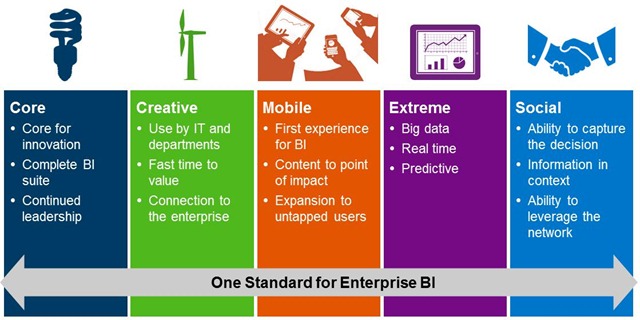
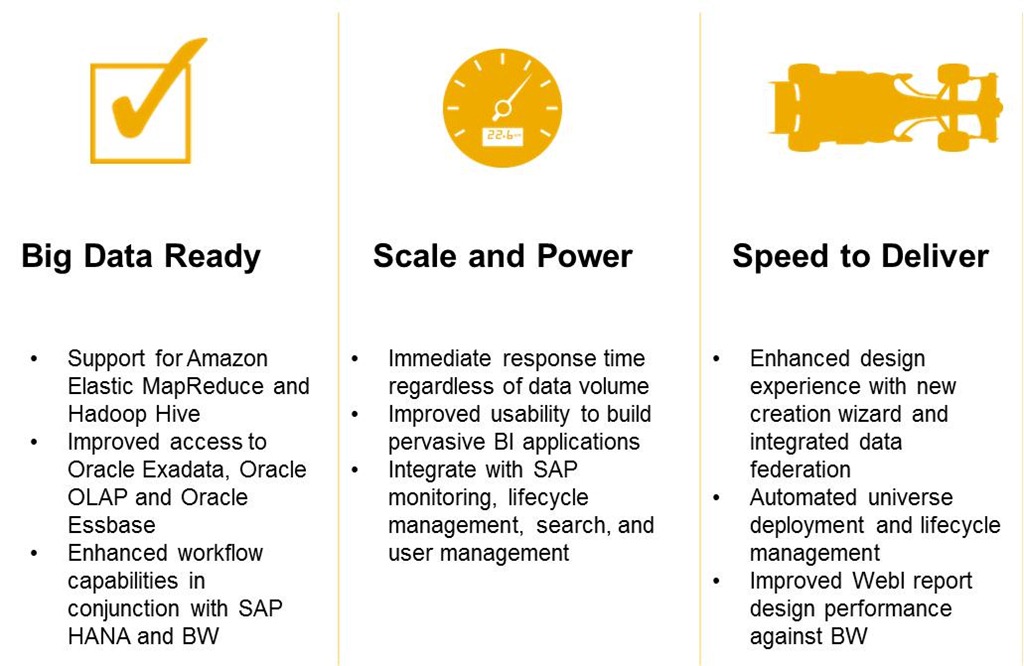
Just before the SAPPHIRE NOW conference, SAP announced the Release to Customer (RTC) of SAP BusinessObjects BI 4.1, Edge BI 4.1 and Crystal Server 2013.

Read here about all the new features in this version:


Monday, January 14, 2013

Lifecycle Manager Overrides in BI4

A good article I read today explaining the difficulties using promotion management

 (former known as life cycle management ) in BI4 platform :
 
you can also read here a in general but the bugs aren't mentioned :
 

How SAP BW and HANA will merge over time -- and why it matters

Read the first of this two-part series on SAP Business Warehouse and HANA. Part one addresses how companies should consider their data management needs when assessing the technologies.


Wednesday, November 21, 2012

Sneak Peek of SAP BusinessObjects Dashboards 4.0 SP5

What's new in  BusinessObjects Dashboards 4.0 SP5 ?
 
"Dashboards 4.0 SP05 (formerly Xcelsius) will support iPad only in the first release. Publish your dashboard to the SAP BusinessObjects business intelligence platform and then download or run it on your iPad using SAP BusinessObjects Mobile. We may support other tablets in future releases..."
 
 
Get a Sneak Peek of SAP BusinessObjects Dashboards 4.0 SP5: How to Mobilize Your Dashboards


What’s new in SAP BusinessObjects 4.0 SP5...

Whats's new in BI4 platform ,SP5 ?
 
Read here strating from page 81:
 

Sunday, November 11, 2012

Exists or not exists- that is the answer


Using more complex queries that can answer simple question like who bought product A but didn't bought product B? Or in another Case: which customers from the customer’s table don’t have an order in the order table ,is one of the abilities that we would like to give for the users and allow them to use it simply and freely as we can.

In order to do that we can use in some cases the sub query method which is good and solid, but in some cases using the Exist \ not exist would be better.
And why is that?

There are first of all performance differences that makes the exists operator make a better work of evaluating which is the driving table and by doing so , use in some cases the appropriate index ,there is also the ability to work with nulls.
For a better understanding of the differences between Exists and subquery read here:


Using the Island resort we will use the Customer and the Sales tables in order to answer a simple question:

Who are the customers who haven’t paid so far?

  1. first we will build the following predefined condition using this syntax:


SELECT Customer.cust_id
FROM Customer

WHERE NOT EXISTS

(select Sales.cust_id from Sale where Customer.cust_id=Sales.cust_id)


  1. We will create a simple query that returns the customers ID’s :

  1. The result will be getting just those customers who don’t have any invoice :